
9.1.1. Introduction
The dVRK software stack is meant to be as open as possible, so it can
be integrated in an end-user application. Once you’ve configured your
subset of dVRK arms to use in your console.json, the dVRK console
class will automatically set up some Qt widgets for visual debugging
as well as some ROS topics, services and tf2 transforms. This is
described in the software architecture page.
The API is described in the dVRK API 2.x. The
dVRK API uses the CRTK naming convention as much as possible, so you
should familiarize yourself with CRTK.
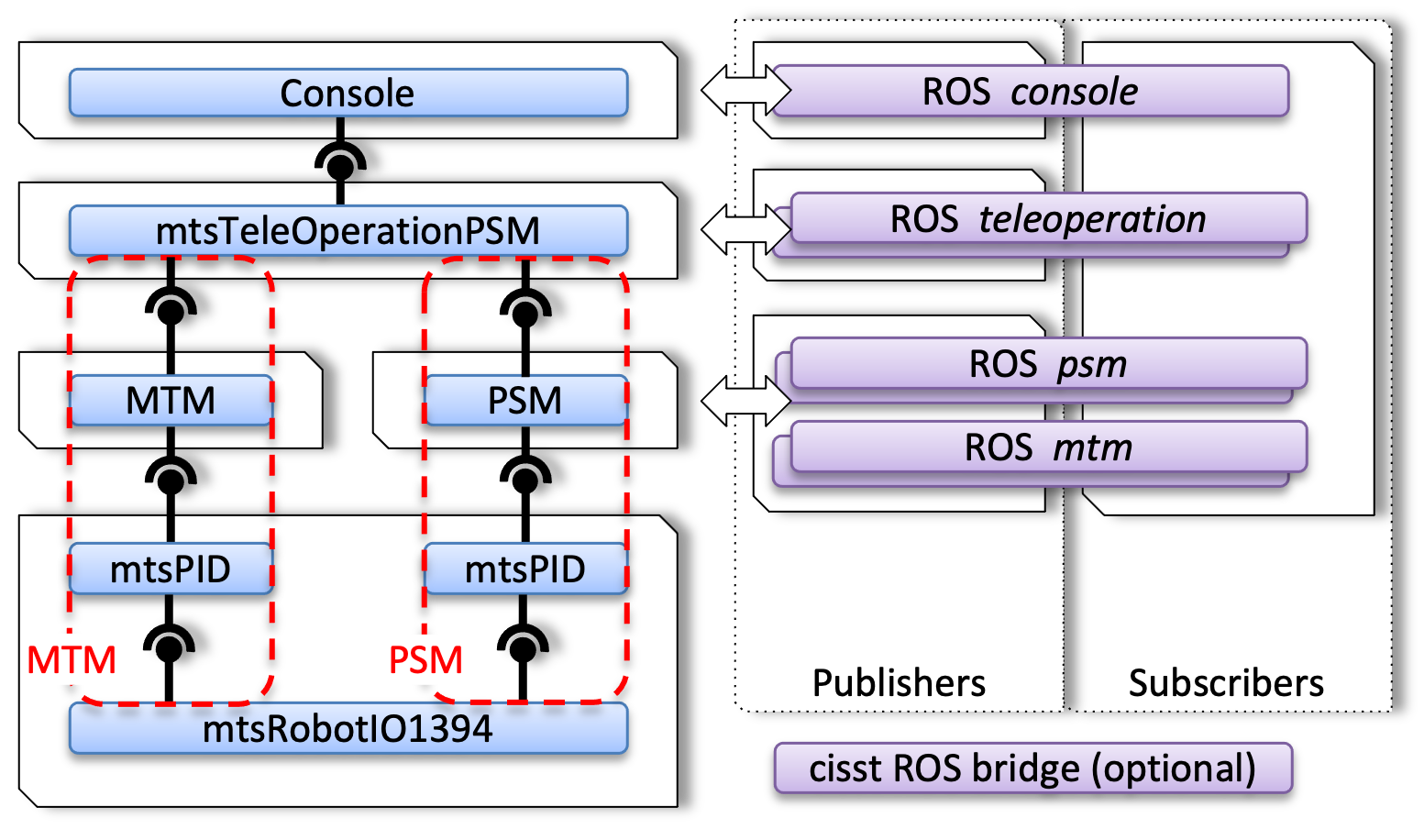
Default components for the dVRK process
If you decide to use ROS and treat the dVRK console as a “black box”, you will end-up with two (or more processes). ROS is one example of middleware between the processes, we also provide some support for OpenIGTLink and plain UDP sockets. Alternatively, you can opt to implement your application’s logic using a new cisstMultiTask component. In this case, your application will be a single process with multiple threads.