3.3.4.2. Sterile adapter
Adapter and instrument detection
The PSMs have the ability to detect when a sterile adapter or tool is installed using digital inputs. For this to work, you will need to short a couple of pins on your sterile adapters (left two pins on the photo).
Make sure you place the wire to short the two pins as deep as possible and keep the extremities of the pins as clean as possible. If the tip of the pins are covered with soldering, you might have issues with the electric contact when inserting the adapter. This also affects the ability to read the instrument’s Dallas chip (see instrument detection).
The dVRK controller should be able to reliably detect the sterile adapter. To check if the sterile adapter is properly detected, monitor the Buttons widget in the IO tab of the dVRK console GUI (see widget example).
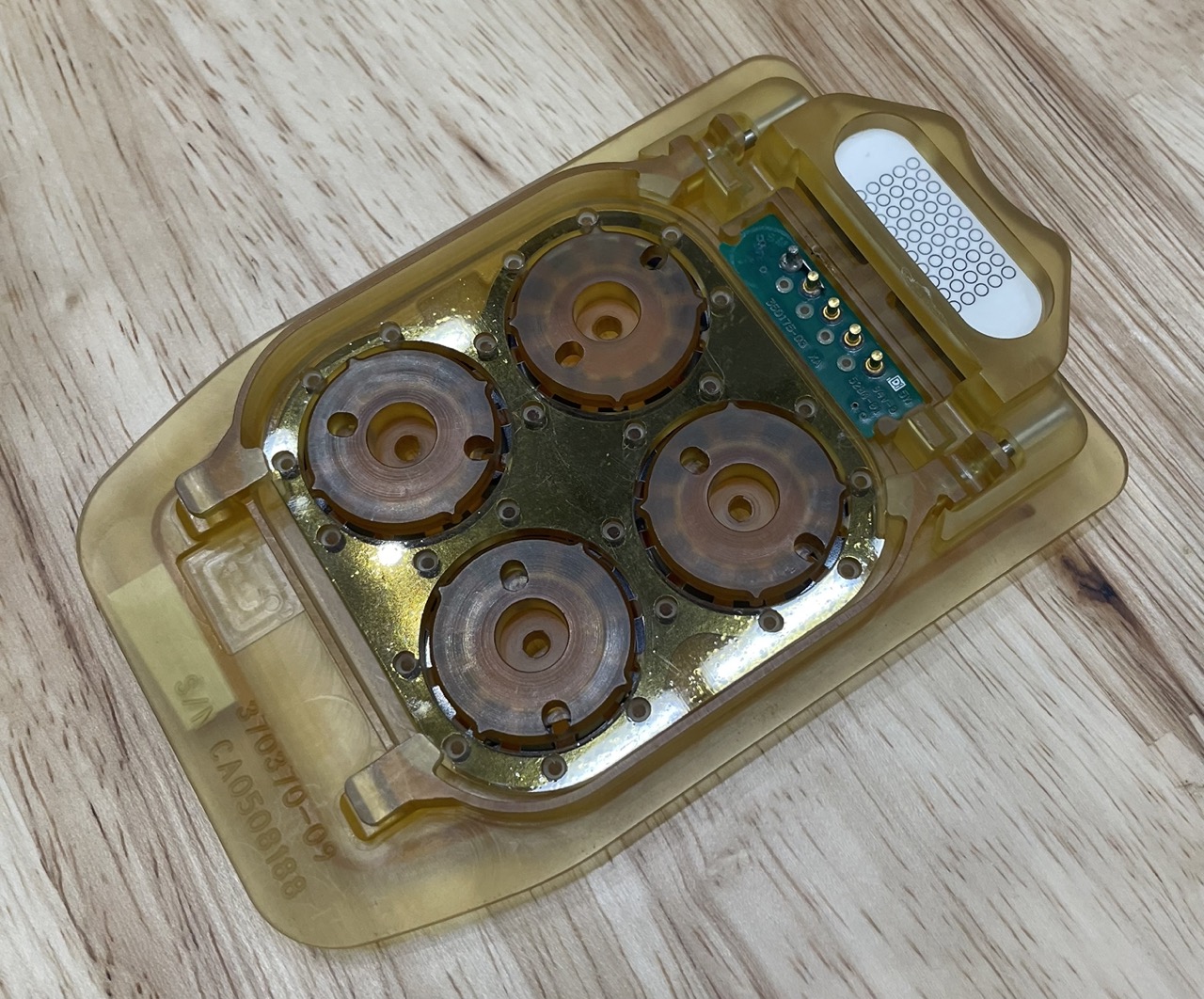
Modified Classic sterile adapter (clean soldering)
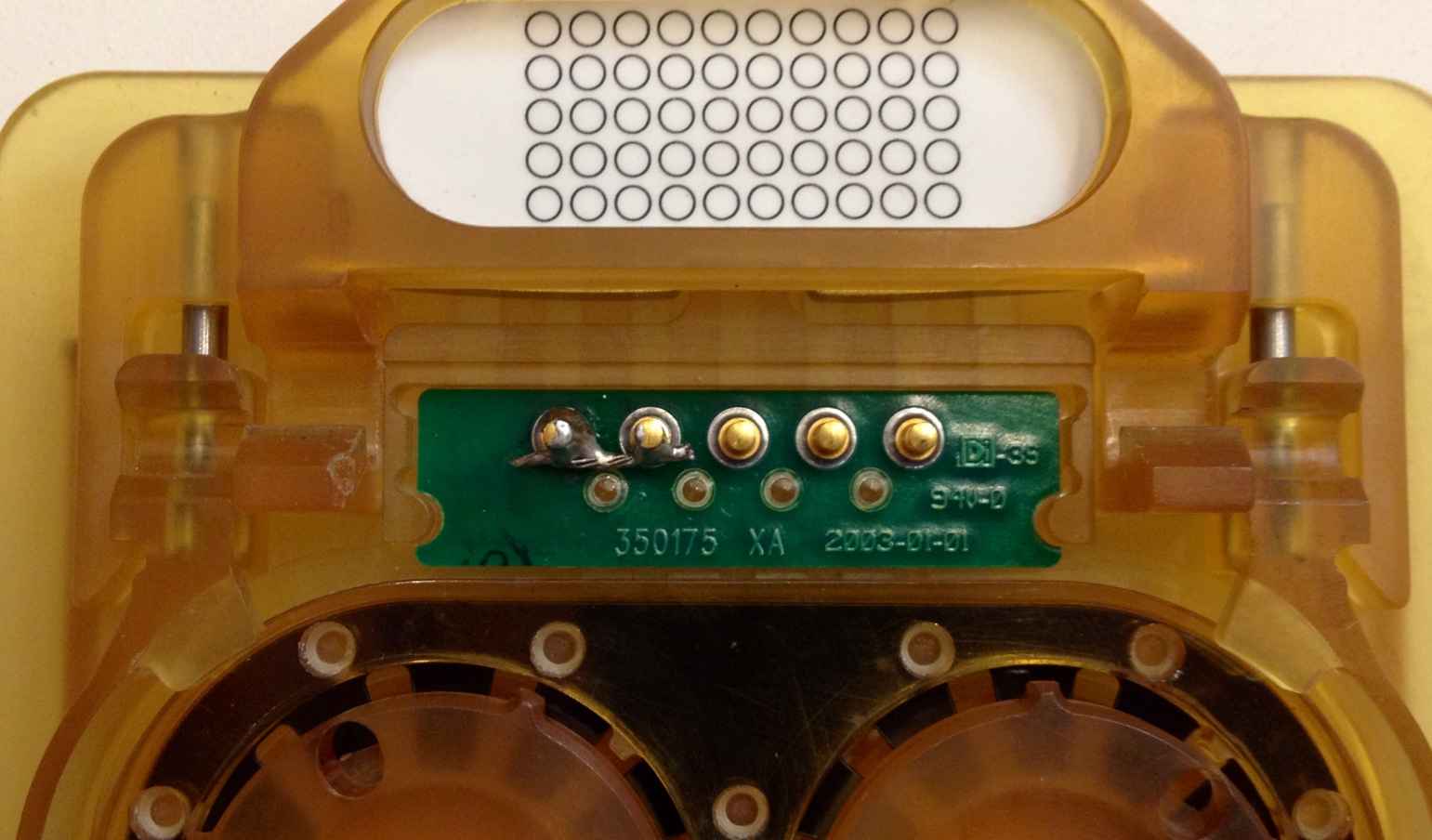
Modified Classic sterile adapter (a bit messy)
Support for S/Si instruments
To use a S/Si tool with the dVRK Classic PSM, one need to use a modified Classic sterile adapter. The modifications are a bit challenging so you should probably try to get some modified sterile adapters directly from ISI:
Side grooves need to be deepen
Ends of side grooves need to be cut to allow for a large tool
Bottom lip needs to be removed
Middle bar needs to be shaven but not too much otherwise the matting disks might fall
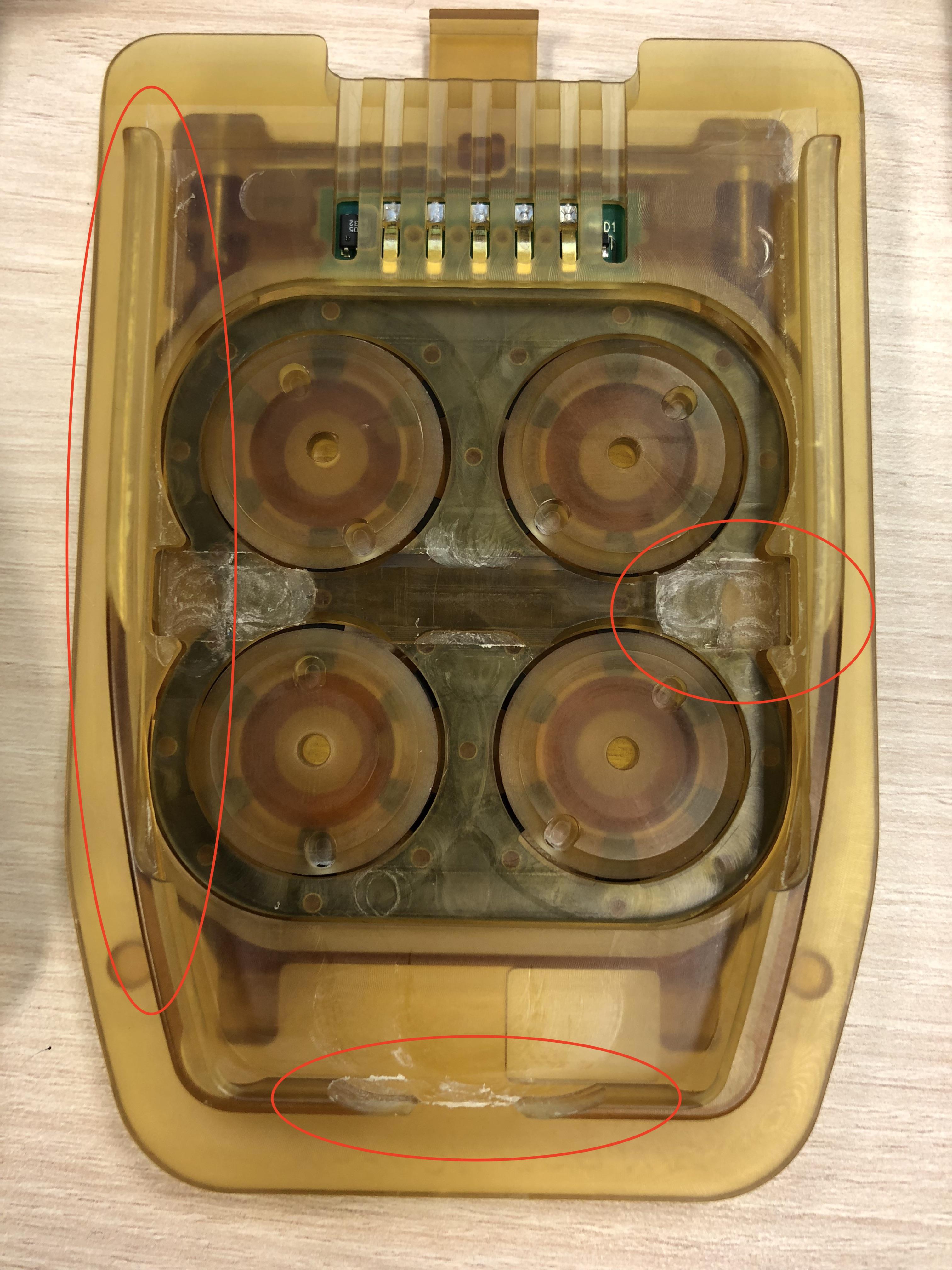
Modified sterile adapter for S/Si instruments on a PSM Classic
Note
These mechanical modifications are on top of the electric modification described in the previous section.