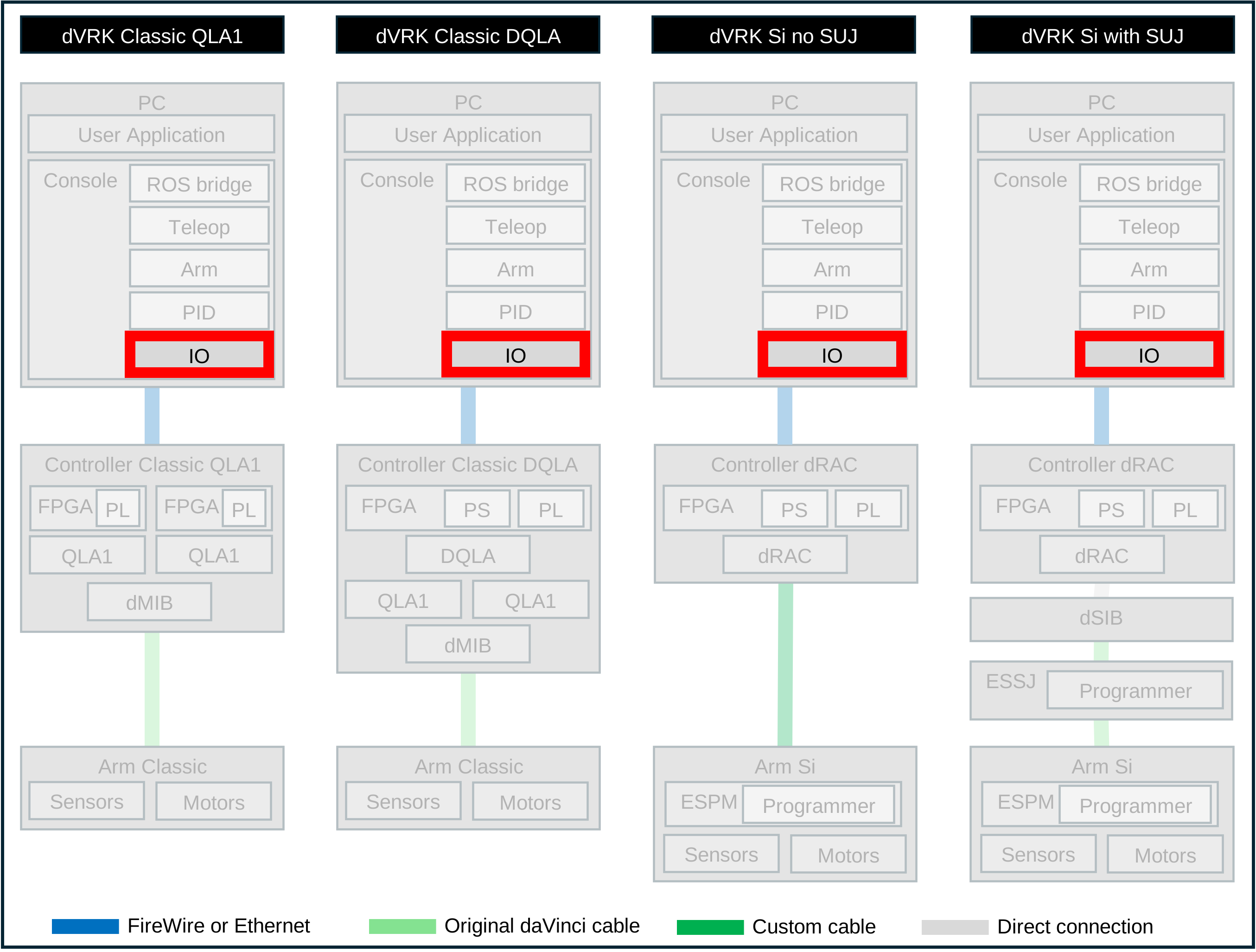
5.2.2.4. Low level IOs
Functionalities
The class mtsRobot1394 is part of the sawRobotIO1394 library. It is built on
top of the Amp1394 library used to communicate with the dVRK
controllers (part of mechatronic software).
It provides:
Conversion to/from integers from/to SI units
Support for motors and brakes (e.g. Classic ECM and Si PSMs/ECM)
Software based velocity estimation based on encoder counts and time since last change
Extra safety checks (consistency between potentiometers and encoders, compare required and measured current)
The classes mtsDigitalInput1394 and mtsDigitalOutput1394 are
used for all digital inputs and outputs.
Configuration files
Configuration files use JSON. Most files are specific to each arm
identified by its serial number. There are a
few files than can be shared across sites. These are used for digital
IOs and therefore do not require any calibration. They can be found
in the main dVRK repository under share/io.
Applications
sawIntuitiveResearchKitQtConsoleJSON and ROS
dvrk_robot/dvrk_console_jsonfor regular usesawRobotIO1394QtConsole and
ROS robot_io/robot_io_consolefor debugging
Widgets
For any arm without brakes (Classic MTMs and PSMs), the IO widget display all the information regarding the state of the controller and axes. By default, this widget only has two active buttons, Direct control and Plot position.

IO widget for an arm without brakes (MTM)
When Direct control is enabled, the user can directly send commands to turn power on/off, close the safety relays, change the data communication watchdog (i.e. FireWire or Ethernet), reset all the encoders to zero or preload the encoders based on the potentiometer values. Furthermore, the user can use the sliders to directly control the current sent to any motor or brake.
Caution
None of the operations allowed in Direct control should be performed if there is a PID or arm component running (e.g. with sawIntuitiveResearchKitQtConsoleJSON)
Caution
When using Direct control, please keep the emergency stop handy, so you can easily power off everything!
For any arm with brakes, the IO widget also displays the setpoint and measured current for each brake. In Direct control mode, one can manually trigger the release of the brakes. Be very careful when doing so since there will be no position controller running (PID). The arm will likely fall under its own weight.

IO widget for an arm without brakes (MTM)
The dVRK controllers can also be used to read different analog inputs, i.e. not tied to a motorized axis. This is the case for the Hall effect sensor of the MTM grippers. When you will start a dVRK console application with an MTM, there will be an IO widget for each MTM gripper. In these widgets, the current setpoint and measure are meaningless, and it doesn’t need to be powered. The widget is also used for the Classic SUJ controller. In this case it is powered, but the 4 axes are used to drive the SUJ brakes.
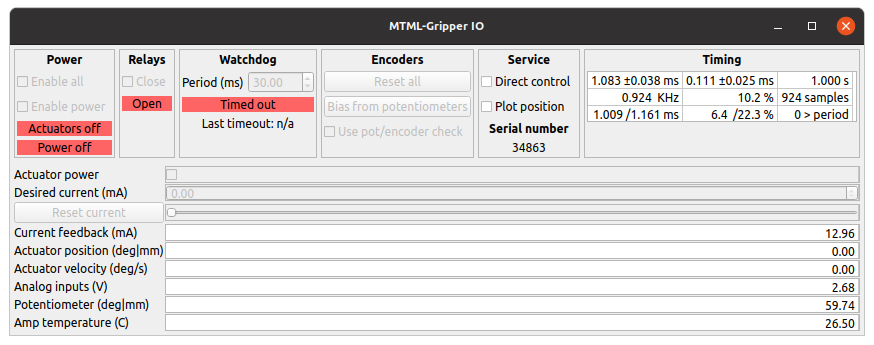
IO widget for a single analog input (MTM gripper)
One very convenient feature of the IO widget is the ability to plot the potentiometer positions along the encoder based positions. This is useful to check if there are any issue with either the potentiometers or encoders.
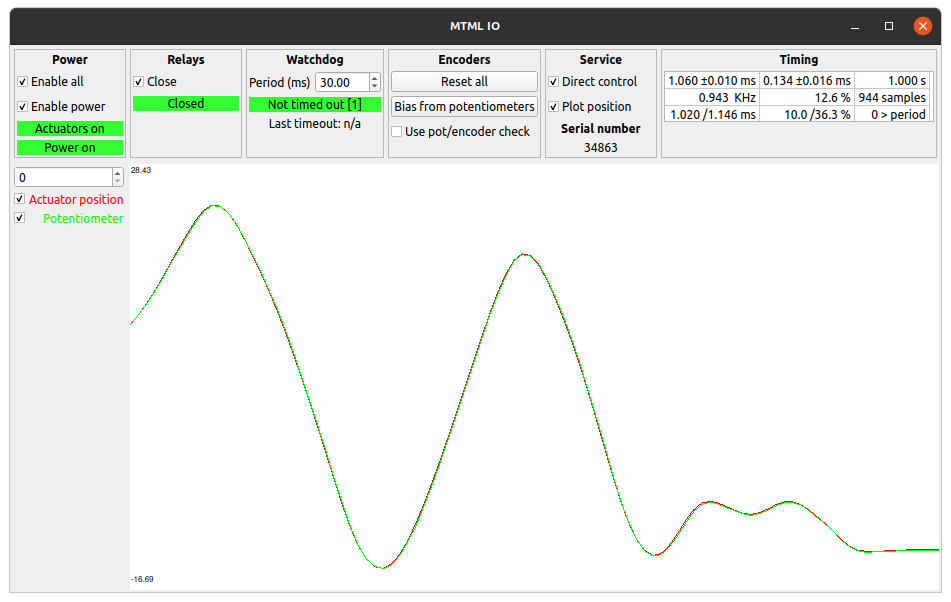
IO widget plotting function to compare encoders and potentiometers