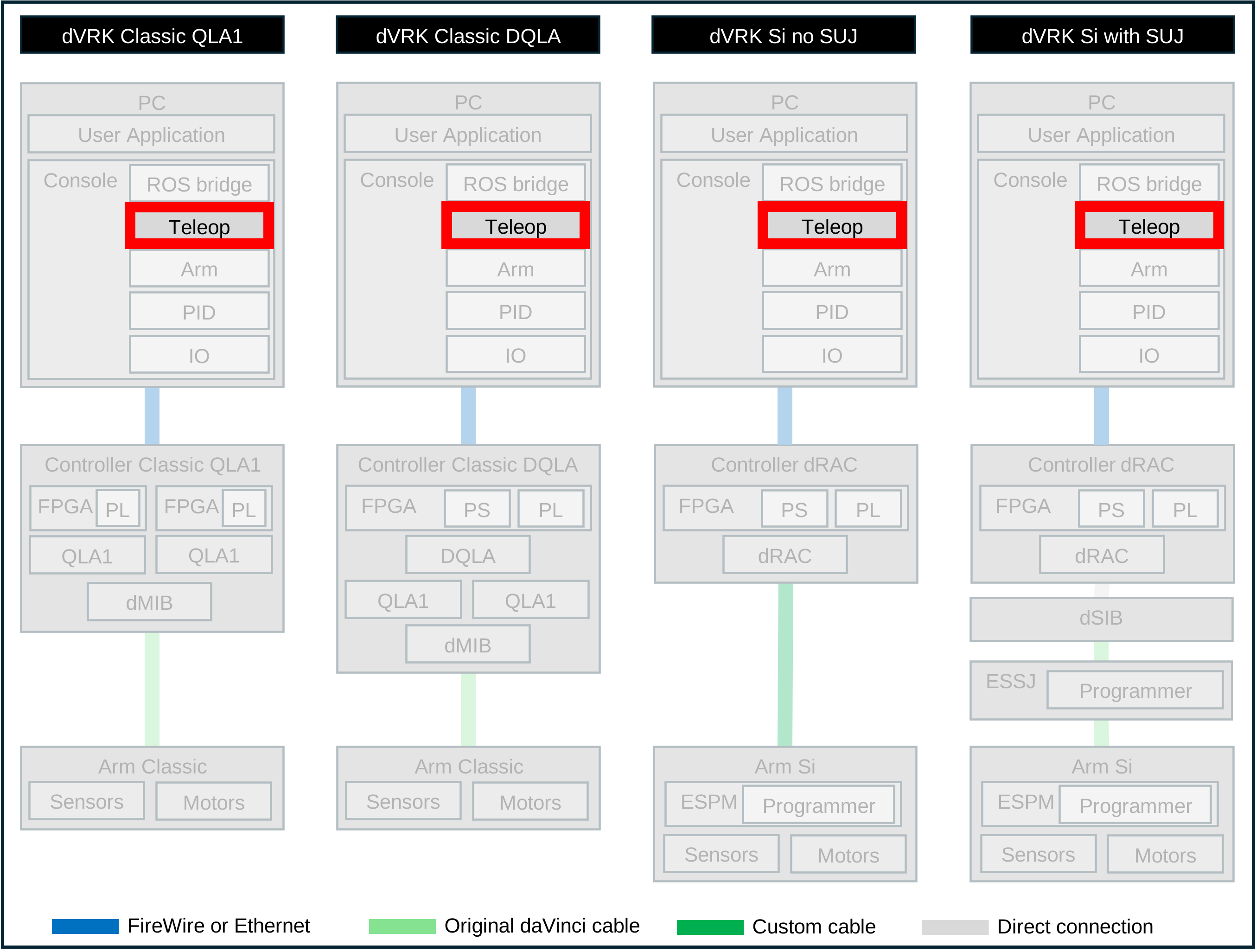
5.2.2.8. PSM teleoperation
Introduction
The dVRK teleoperation components (mtsTeleOperationPSM and
mtsTeleOperationECM) are provided as examples of dVRK
applications. As much as we would like to have an implementation as
good as the teleoperation provided by Intuitive Surgical on their
clinical systems, this is not (yet) the case.
If you need to write a new teleoperation logic or build upon the existing one, take a look at the application development section. Using the current implementations as base classes will allow you to focus on the teleoperation itself while all the state transitions can be inherited from the base class but you can also write one from scratch.
Behavior
The current implementation primarily attempts to mimic the teleoperation implemented on the Intuitive Surgical Inc (ISI) clinical systems. The MTM motion (input) is divided in 3 components:
Position: the 3D position of the MTM is used to compute a relative translation applied to the PSM position. Since it is relative, it can be scaled and clutched to compute the PSM desired position.
Orientation: the 3D orientation of the PSM with respect to camera should always match the orientation of MTM with respect to the surgeon’s display. Therefore the orientation is absolute and there is no rotation to be applied to the MTM orientation to compute the PSM orientation (note that there is always a small rotation offset that we will describe later). Maintaining the orientation absolute is possible because the MTM wrist is motorized. When the user is not driving the PSM, the MTM orientation should move to match the PSM one. When the user is actually teleoperating (“following” or “follow mode”), it’s the opposite: the PSM orientation should move to match the MTM one.
Gripper and jaw angle: we expect a one-to-one relationship between the MTM gripper and the PSM jaws (if any on the instrument). Ideally, a zero angle represents closed gripper and jaws. We maintain a scale to match the maximum opening of the gripper with the jaws. The scale is hardware dependent and we can’t clutch the gripper so this an absolute relation between the MTM gripper and the PSM jaws.
States
The dVRK teleoperation component maintains an internal state corresponding to the different stages of teleoperation:
`DISABLED`: nothing to do, the teleoperation doesn’t need to run
`SETTING_ARMS_STATE`: in this state the teleoperation tried to “enable” and “home” the two arms, MTM and PSM (
state_command("enable")andstate_command("home")) and monitors their operating states (operating_state). If both arms are ready, the teleoperation component moves to the next state, `ALIGNING_MTM`.`ALIGNING_MTM`: at the point both arms are ready.
The first thing the teleoperation has to do is make sure the MTM orientation matches the PSM one. The PSM orientation (from
PSM/setpoint_cp) is used along with the current MTM position (MTM/setpoint_cp) to compute the desired pose for the MTM. We use amovecommand (MTM/move_cp).Once the move command has been sent, the teleoperation component uses a set of criterions to decide if we can start teleoperation itself (i.e. go in follow mode). If these conditions are not met, the dVRK console periodically sends warning telling the user what is wrong:
The MTM must have moved to the desired orientation (
MTM/goal_cp). It happens mostly when the user applies too much torque on the wrist and doesn’t allow the MTM to move toward the goal. For this, we compare the orientation goal send previously with the actual MTM orientation (MTM/measured_cp). The difference is converted to an axis/angle representation and we check the angle against a given threshold.The user must have their fingers on the MTM gripper. There is no “presence” sensor so the teleoperation component checks the amount of motion on the last two MTM joints (roll and gripper) and compares this to a predefined set of thresholds (configurable in system JSON configuration file). The operator has to wiggle their fingers a small amount to signal that they’re ready.
`ENABLED`: We’re now in follow mode and the MTM motion will be used to control the PSM. There are two different steps:
When the follow mode starts:
Both the MTM measured cartesian pose (
MTM/measured_cpand PSM setpoint cartesian posePSM/setpoint_cp) are saved as initial poses.The MTM is “freed” (
MTM/servo_cf(zero_wrench)) and gravity compensation is turned on (MTM/set_gravity_compensation(true)). The newly introduced CRTK commandfreecan also be used.
Then, the following simple math is used at each iteration (by default, every millisecond):
new_mtm_measured_cp = MTM/measured_cp()psm_servo_cp.orientation = new_mtm_measured_cp.orientationmtm_translation = new_mtm_measured_cp.position - initial_mtm_measured_cp.positionpsm_servo_cp.position = scale * mtm_translation + initial_psm_setpoint_cp.positionAnd finally send to PSM:
PSM/servo_cp(psm_servo_cp)
We can see from the steps above that this is a unilateral teleoperation since at no point it checks on the PSM pose (neither
measurednorsetpoint) once the teleoperation has started.
Clutch:
When the operator uses the clutch to reposition their hands, the orientation on the MTM is locked so it will stay aligned to the PSM. The first 3 degrees of freedom of the MTM are “freed” (
MTM/servo_cfandMTM/use_gravity_compensation). The lock command islock_orientation. It’s not a standard CRTK command.When the operator releases the clutch, the teleoperation checks that the MTM orientation still matches the PSM orientation (in case the operator pushes too hard) but it skips the checks to confirm the operator has their fingers on the roll and gripper.
Rotation offset
Ideally the orientation should remain absolute. In practice the MTM orientation is never exactly equal to the PSM orientation due to floating point errors, mechanical errors and some effort applied by the operator. The teleoperation is entering in follow mode when the error in orientation is under a certain threshold. When the error is under that threshold, the teleoperation save the rotational error as a rotation offset. This offset is then applied to the MTM orientation every time it is sent to the PSM. Without the rotation offset, the PSM orientation would jump a little bit when the teleoperation enters in follow mode.
When turning off align_mtm, the orientation becomes relative and
the rotation offset reflects the difference of orientation when the
teleoperation enters the follow mode.
The rotation offset is displayed in the Qt widget and published over ROS.
Gripper and jaws
For the gripper and jaws, we use a negative closing angle to increase the grasping torque on the PSM side. This implies that the MTM gripper must be able to send negative angles when squizzed hard. On the da Vinci, the gripper is maintained open by two springs, a long weak one and a shorter strong one. As the user tightens their grip, the first spring provides a small resistance. When the gripper is about half closed, the second spring kicks in and provides a stronger resistance. We use this transition point to define zero on the MTM gripper. This creates a simple but effective force feedback on the gripper.
The teleoperation component first query both the MTM and PSM to get their maximum opening angles. The ratio of these two angles is used as a scale to map the MTM gripper angle to the PSM jaws angle. The scale and zero can be configured in system JSON configuration file if needed. The minimum negative value is not used to scale the closing angle. The maximum torque applied on the instrument jaws is defined in the instrument’s JSON configuration file.
There is a subtle issue to handle for the gripper and jaws: when the user starts the teleoperation, there is no way to force the MTM gripper angle to match the PSM jaws angle. Therefore there is a strong possibility the two angles will not match. To avoid a sudden jump in the jaws angle when the teleoperation starts, the system applies a gradual blending of the angles over time. This is performed by capping the maximum jaw velocity until the two angles match.
From the user perspective, it gives plenty of time to react and adjust their grip for the ongoing task. The maximum jaw velocity can be configured in the systen JSON configuration file.
Cartesian velocity
The teleoperation component provides an option to use the MTM cartesian velocity along the cartesian position. Since the dVRK arm class provides the MTM cartesian velocity (twist), it can be used to compute cartesian position and velocity goals for the PSM. On the PSM side, the twist is converted to desired joint positions and velocities (using the jacobian). The PID can then use these to provide a smoother and more reactive motion. Informal testing indicates that the latency between the MTM and PSM motion is reduced by a factor close to 5 (from 100ms to 20ms). This can be deactivated in the system JSON configuration file.
Main limitations
PSM’s mechanical limits are not taken into account. The teleoperation logic just sends a cartesian goal and doesn’t check nor track if this position is reachable. This leads to unexpected motion and PID tracking errors on the PSM when operating past the joint limits.
There is no force feedback on the MTM to reflect errors in position on the PSM side (e.g. joint limits, obstacles…).
The MTM doesn’t fully take advantage of the extra degree of freedom to position the MTM arm away from the operator’s hand (see issues 25 and 56).
Code
dVRK constants: https://github/jhu-dvrk/sawIntuitiveResearchKit/blob/main/components/include/sawIntuitiveResearchKit/mtsIntuitiveResearchKit.h (some related to PSM teleoperation)
Code file: https://github/jhu-dvrk/sawIntuitiveResearchKit/blob/main/components/code/mtsTeleOperationPSM.cpp
API
See teleoperation API.