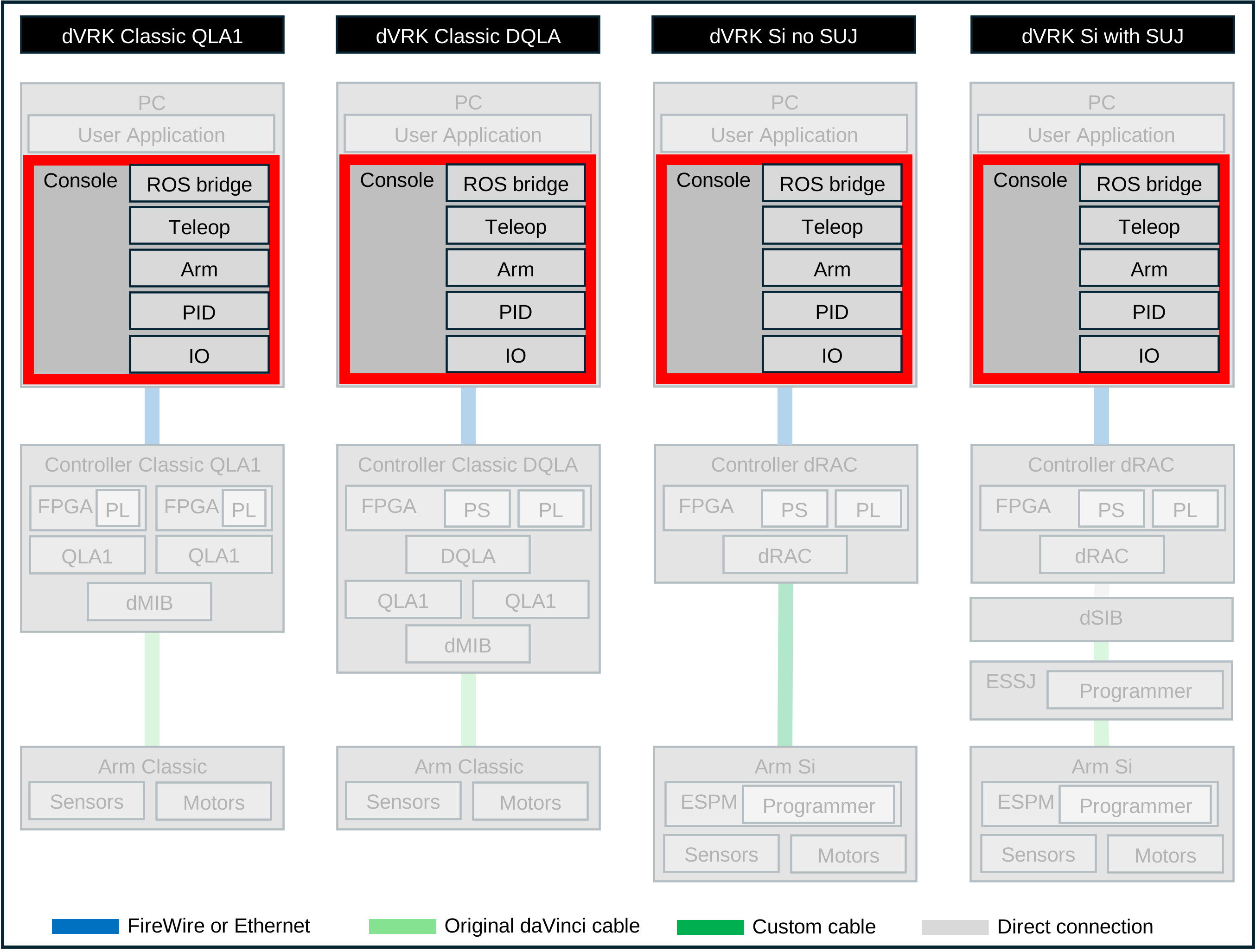
10.3.3. ROS component
The ROS component dvrk_arm_from_ros can be treated as an example of
alternate hardware. When used, the system uses ROS to communicate with a
generic arm (e.g. PSM or substitute) that happen to have a CRTK compatible ROS
interface.
This is the favored approach to communicate with a simulation environment such as AMBF, IsaacSim… We then expect the virtual patient’s cart provides an ECM and PSMs with ROS interfaces compatible with the physical dVRK arms.
This can also be used if you need your teleoperation to work across the network. The black diagram shows the “PSM over ROS” coming from an actual dVRK but could be any other device as long as the ROS topics are the same.
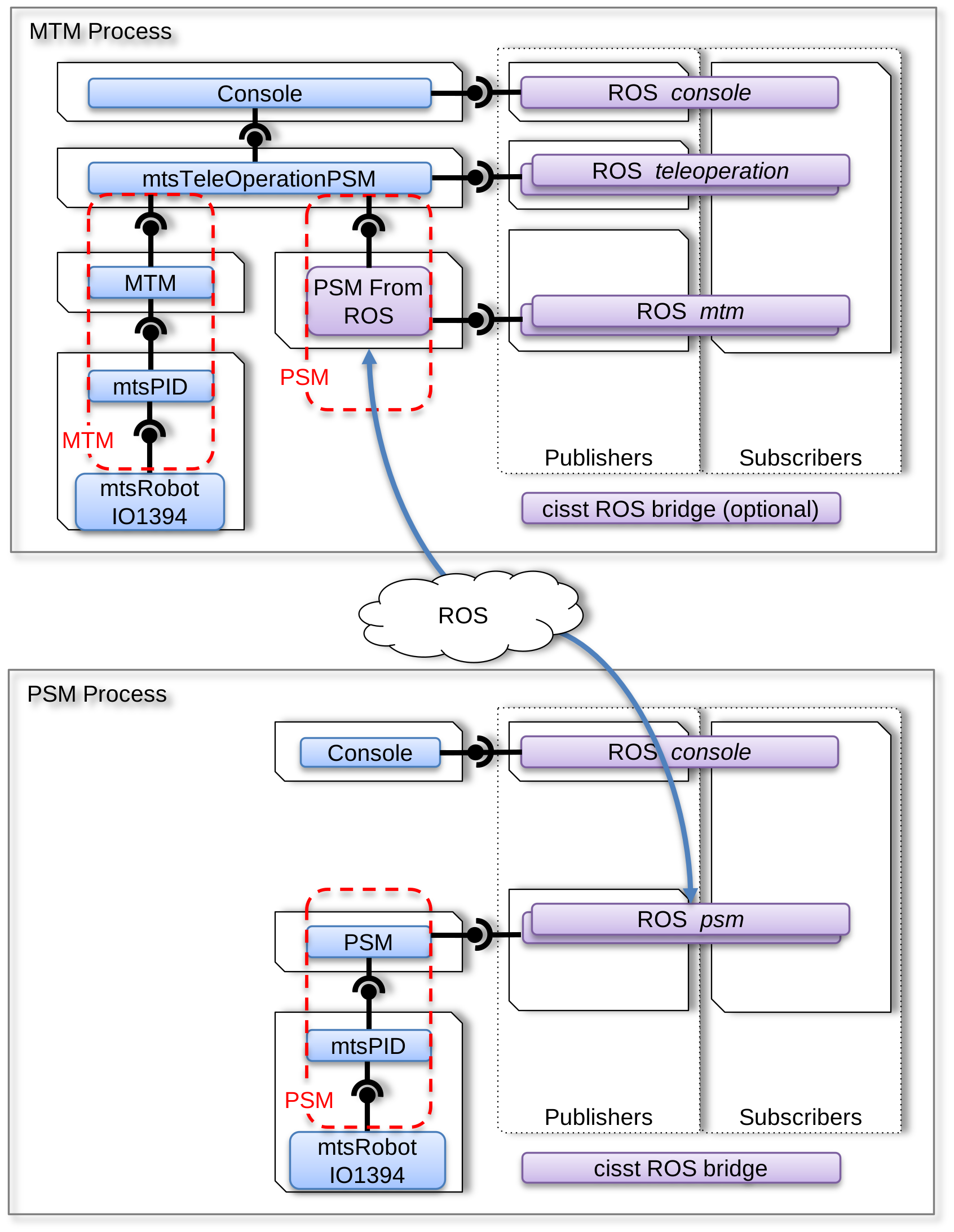
Using a ROS bridge component
In this example, let’s consider how the mtsTeleOperationPSM (MTM Process) sends a servo_cp to the actual PSM (PSM Process):
The teleoperation component in the MTM Process calls the write function (servo_cp) from its required interface for PSM
The PSM from ROS component receives the servo_cp command over its provided interface emulating a PSM. When the command is dequeued:
The payload is converted from a cisst data type to ROS
The PSM from ROS component publishes the ROS pose on the topic
/PSM/servo_cp
ROS passes the message along (ROS cloud in the figure above)
The ROS PSM bridge in the PSM Process subscribes to the topic
/PSM/servo_cp. In its callback:The ROS message is converted to a cisst data type
The bridge calls the cisst function servo_cp from its interface for PSM
The PSM component dequeues the servo_cp command through its provided interface and can finally execute it on the robot.
Note
This can be a bit hard to debug since mismatch in topic names are
not reported as opposed to dynamically loaded components. You will
likely need to use rostopic list and rostopic info to find
all the existing topics and check which nodes subscribe and publish
to them.
You can find an example of dVRK system configuration file
jhu-dVRK/system-MTML-PSM1_ROS-Teleop.json
(https://github.com/dvrk-config/dvrk_config_jhu).