10.3.5. Embedded Python interpreter
The cisst libraries come with a very special component, an embedded Python interpreter. It is also known as the IRE (Interactive Research Environment) and is part of the cisst library cisstInteractive.
To summarize, the IRE can:
Start a Python interpreter in the same process as all the other components
Find any component through the cisstMultiTask component manager
Since the IRE itself is a component, it can dynamically connect to any existing component
The IRE component can automatically mirror any interface because all cisstMultiTask interfaces are self-describing
Using the mirrored interface’s commands, the IRE can create callable objects able to trigger said commands
The end result is a Python object that can invoke all the available commands of the C++ component (proxy). And, this Python object uses thread-safe queues to communicate with all the components running in the same process. There is no middleware, no dependency on ROS whatsoever.
To use the IRE, you need to install a few extra packages:
sudo apt install ipython3 python3-ipython python3-wxgtk*
Once these packages are installed, start the dVRK system
application with -e (or --embedded-python) with either
IRE_IPYTHON or IRE_WXPYTHON. For example:
cd ~/ros2_ws/src/cisst-saw/sawIntuitiveResearchKit/share/system
ros2 run dvrk_robot dvrk_system -j system-full-system-simulated.json -e IRE_IPYTHON
At that point, you will have all the usual dVRK components started (logic,
widgets, ROS) but the main terminal will now be IPython. In IPython you can use
dir() to find proxies for all the components available or explore the proxy’s
features (dir(ECM)). You can also take advantage of wxPython and IPython
auto-complete and history.
Following are some examples of commands you can use in the IRE:
system.home()
console.teleop_enable(True)
console_MTMR_PSM1.set_scale(0.5)
ECM.measured_cp().Position().GetTranslation()
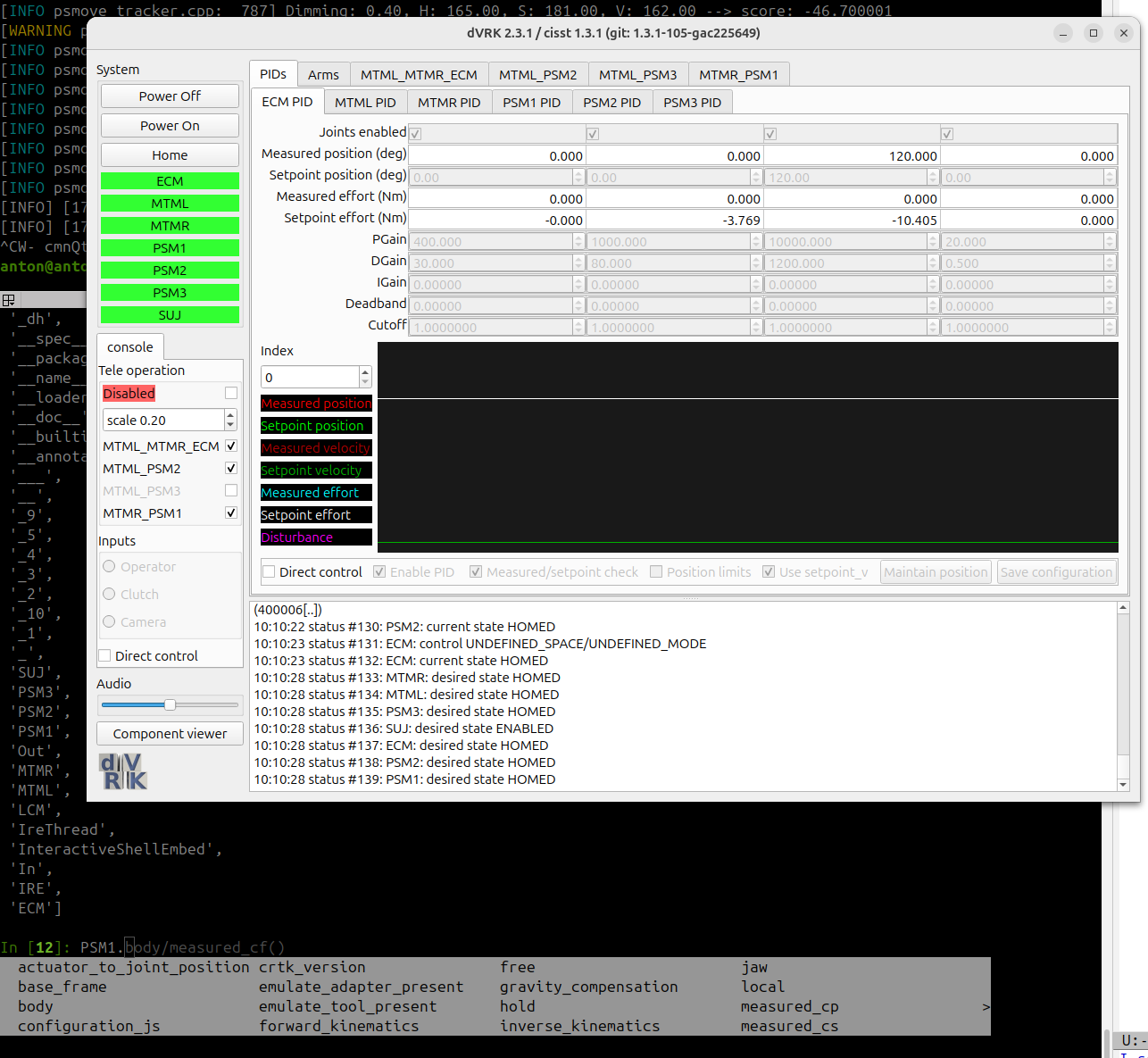
dVRK system GUI with IPython in shell
You can also execute any Python script with the IPython magic command %run.
While you run your Python commands and scripts, you can still monitor the dVRK
using the GUI and ROS topics!
By default, not all the dVRK components are wrapped and made accessible through proxies in the embedded Python interpreter. To create a new proxy, you need to know the name of the component and the interface you need access to. For example, to wrap the PSM1 PID component’s provided interface “Controller”, use:
# long version
PSM1_PID = cisstMultiTask.mtsCreateClientInterface(clientName = 'system_Python', serverName = 'PSM1_PID', interfaceName = 'Controller')
# short version
PSM2_PID = cisstMultiTask.mtsCreateClientInterface('system_Python', 'PSM2_PID', 'Controller')
The IRE provides access to the cisstMultiTask Local Component Manager (LCM). To get a list of all available components, use:
LCM.GetNamesOfComponents()
For a specific component, such as PSM1_PID, you can get access to the component and list all its provided interfaces as follows:
LCM.GetComponent('PSM1_PID').GetNamesOfInterfacesProvided()
This list will include a provided interface named “Controller”, which was used above.
Note
This is an awesome but fairly new feature of the dVRK. Give it a try and don’t hesitate to create issues in GitHub if needed.