7.2.2. Board ID
7.2.2.1. Overview
The board ID is set by the rotary switch value (4-bit from 0 to F/15) on the logic boards FPGA1394 (see Board ID selector). Each ID which should be unique among the daisy-chained controller boards. The board ID should have been set during manufacturing based on the arm type using the Default logic board IDs. Not all Research Kit come with the ECM, PSM3 or SUJ but the board IDs should be reserved nevertheless. PSMs on da Vinci Standard come with color stickers, so might be identified by their color: yellow (PSM1), green (PSM2) and red (PSM3).
7.2.2.2. Default board IDs
We strongly recommend using the following mapping for the board IDs and controllers. Many shared configuration files assume the following convention so using custom board IDs should be reserved to very specific configurations (e.g. 4 MTMs or 2 ECMs).
ID |
MTML |
MTMR |
ECM |
PSM1 |
PSM2 |
PSM3 |
SUJ Classic |
|---|---|---|---|---|---|---|---|
Board 1 |
0 |
2 |
4 |
6 |
8 |
10 (A) |
12 (C) |
Board 2 |
1 |
3 |
5 |
7 |
9 |
11 (B) |
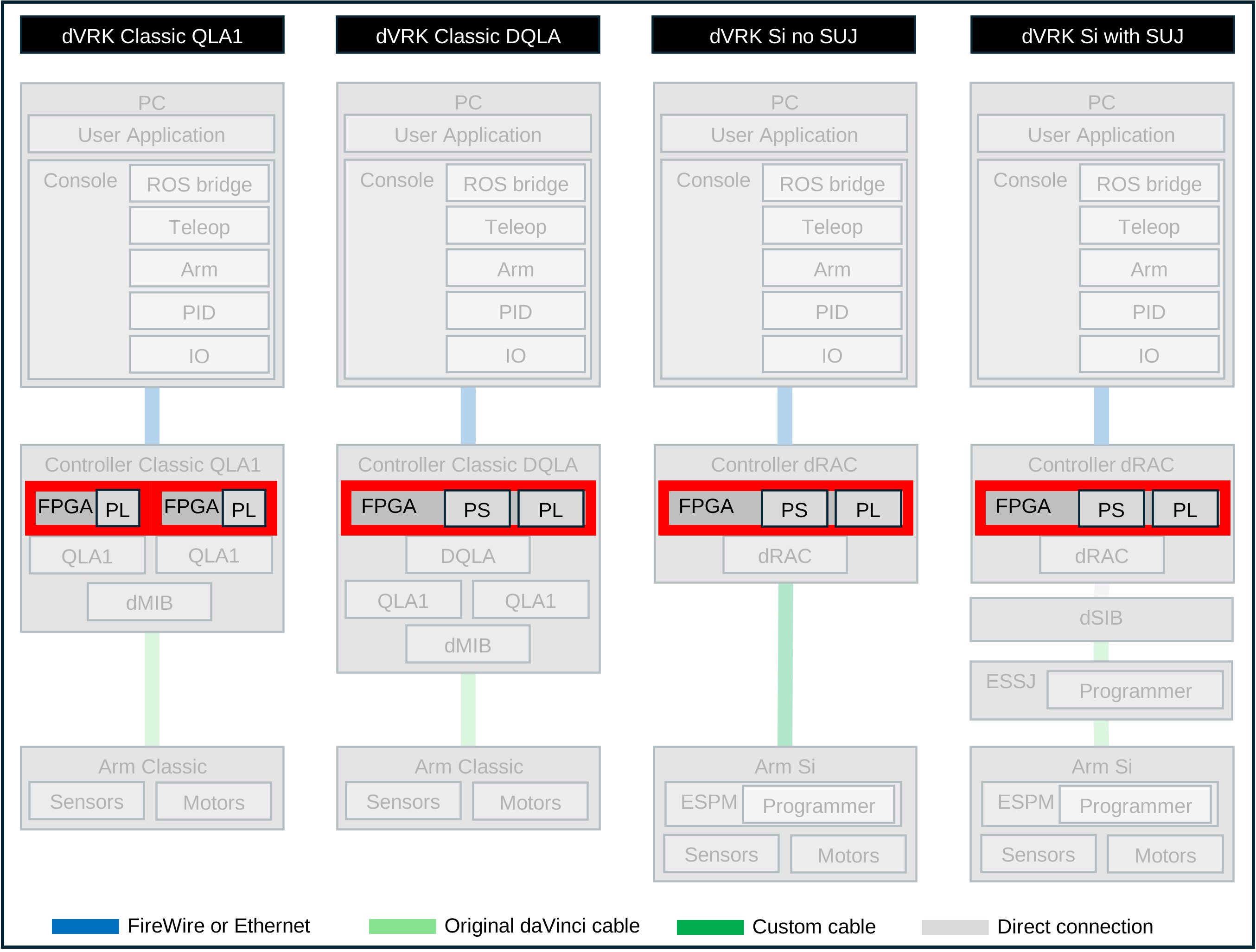
All controllers using the FPGA1394 v3 only use the ID of the first board (i.e. DQLA and dRAC controllers). For example, Si PSM uses the single board ID 6.
The simplest solution to check that the board ID(s) are correct on a given controller is to connect it to the PC and use qladisp or dmesg -w.
7.2.2.3. Setting the board ID
To make sure the board IDs are physically set properly, you will have to open the controller enclosures. The board ID can be changed by turning the rotary switch with a small flat head screwdriver.
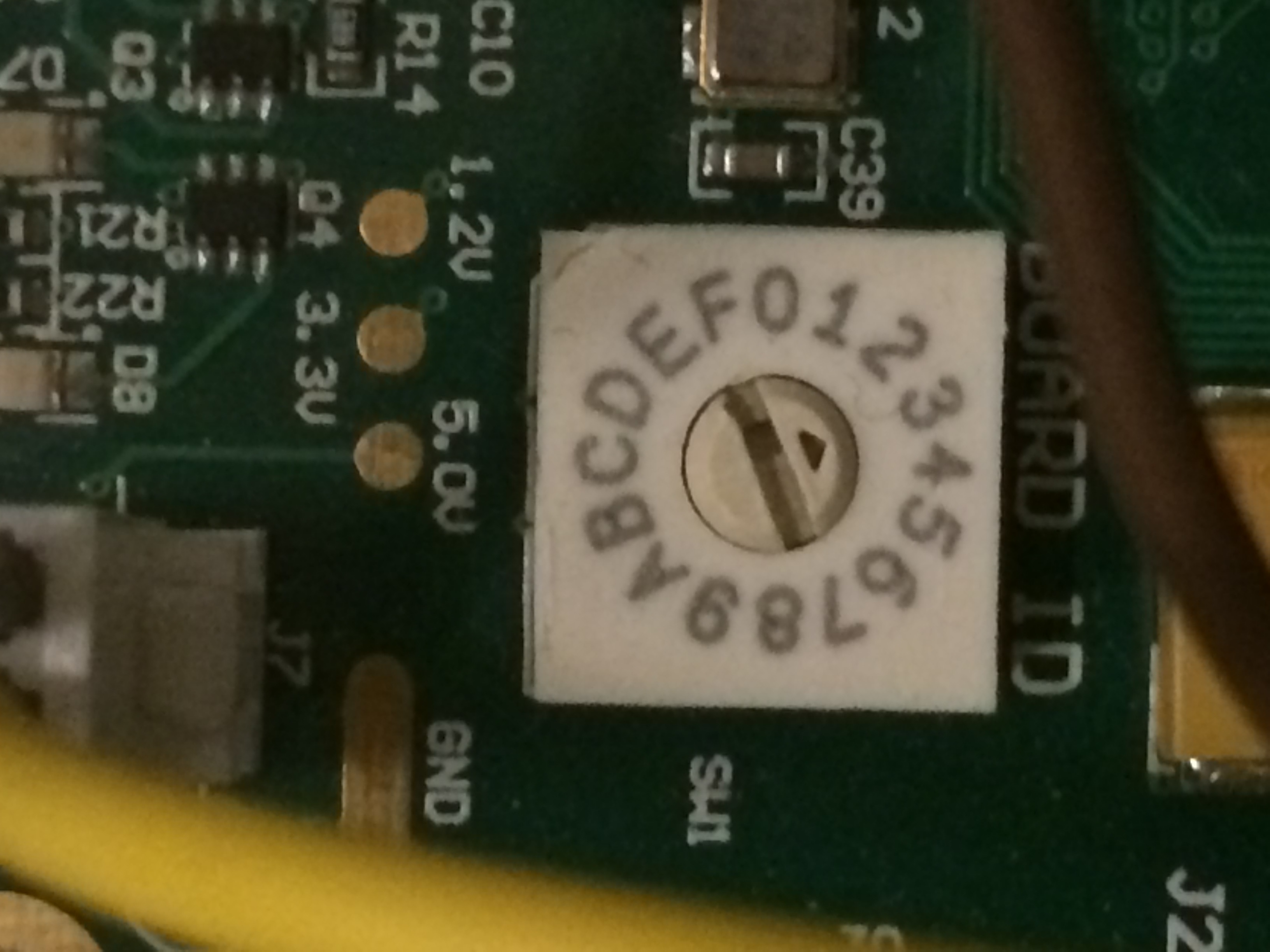
Board ID selector
Looking from the front of the enclosure for a QLA1 based controller, the first FPGA board is on the left and the second is on the right (v1 or v2).
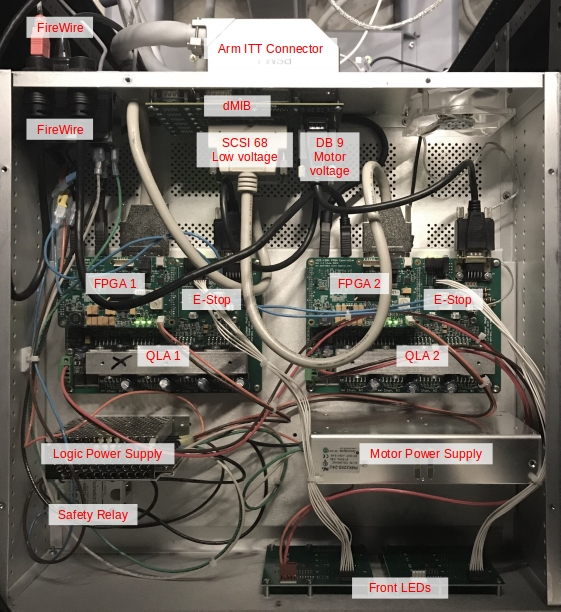
QLA1 based controller
Looking from the front of the enclosure for a DQLA based controller, the FPGA is located in the back left corner.
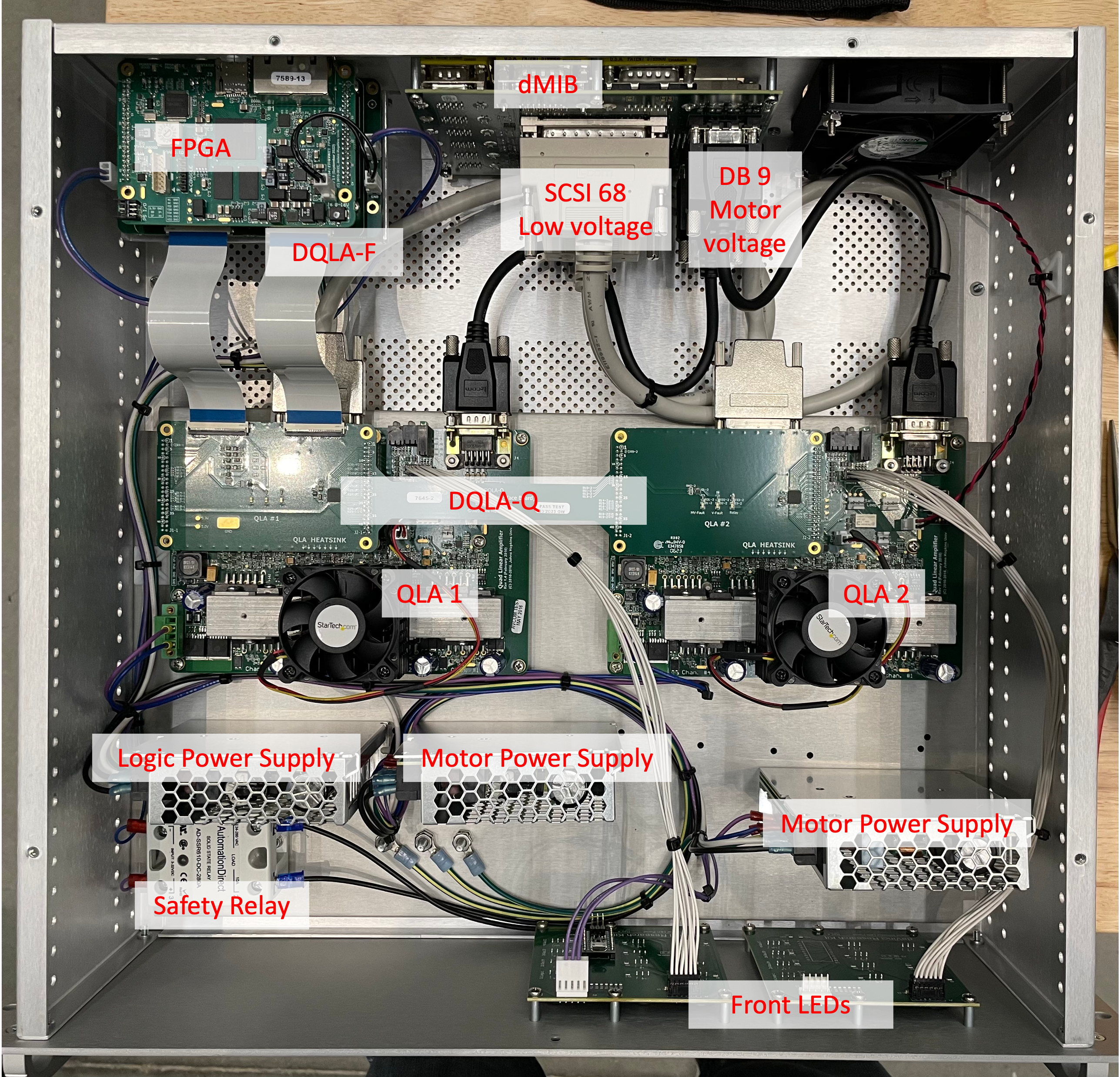
DQLA based controller
Looking from the front of the enclosure for a dRAC based controller, the FPGA is located in the front left corner.
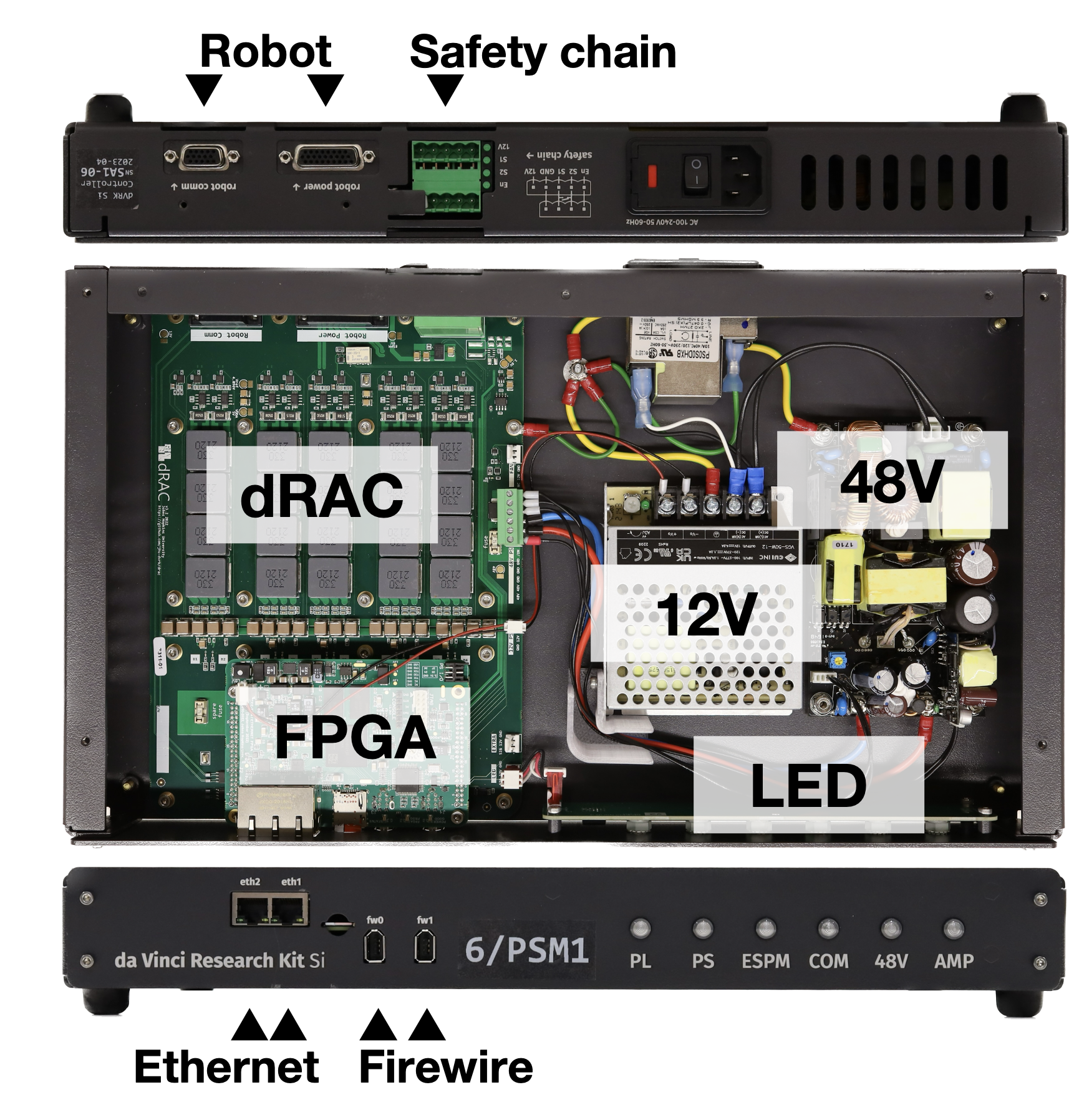
dRAC based controller