6.1. Introduction
There are different ways to connect the dVRK controllers depending on which version of dVRK controllers are used.
While testing the communication with the dVRK controllers, keep in mind that the number of FPGA boards (showing as either a FireWire node or and Ethernet IP) depends on the type of controller you’re using and how they are connected. See controllers.
6.1.1. FireWire only
From the beginning, the dVRK software and mechatronics have used the IEEE 1394 interface standard with the libraw1394 library under Linux to communicate between the computer and the dVRK controllers. The interface standard IEEE 1394 is also known as FireWire (Wikipedia entry). In this scenario, the controllers are daisy-chained using FireWire and the computer is also on the FireWire chain. This approach works will all generations of dVRK controllers and is the most reliable approach.
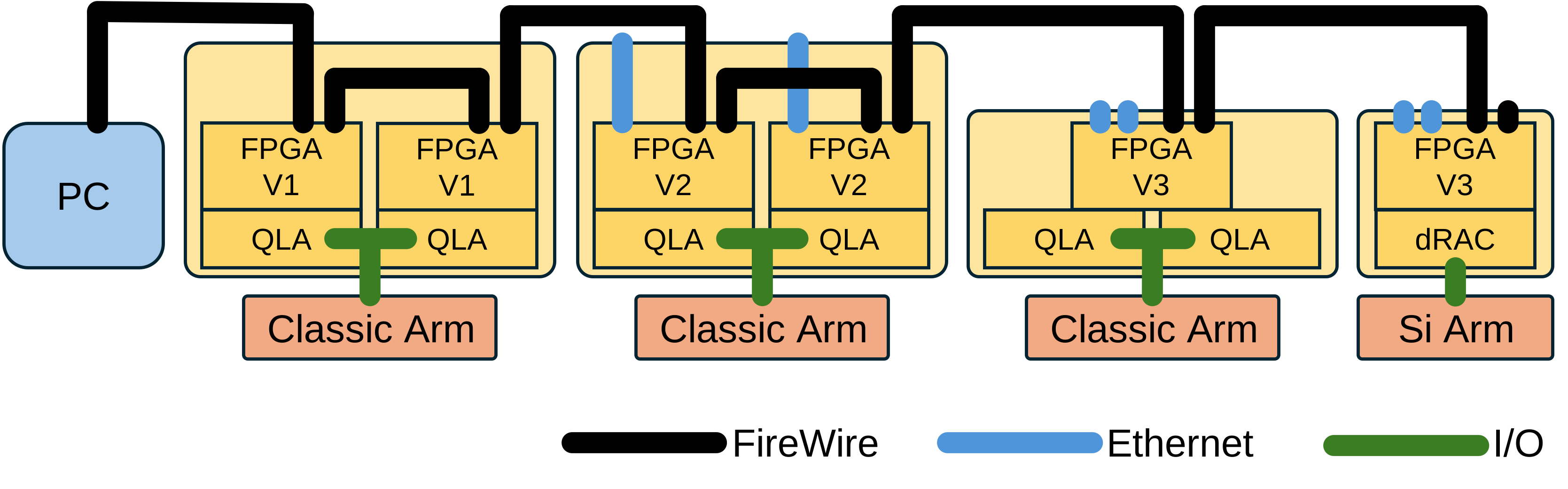
FireWire only
Hint
The port setting for this configuration is fw.
6.1.2. FireWire with Ethernet bridge
Starting with dVRK Software Version 2.0, Ethernet/UDP is also supported. To use Ethernet/UDP, you will need to use firmware 7+ on all your dVRK controllers, and you will need at least one FPGA V2 or V3 board (with Ethernet jack, see FPGA versions). In this scenario, the controllers are daisy-chained using FireWire, but the computer is not on the FireWire chain. Instead, the computer is connected via Ethernet to one of the dVRK controllers. Said dVRK controller becomes the “bridge” between the computer and all the other dVRK controllers.
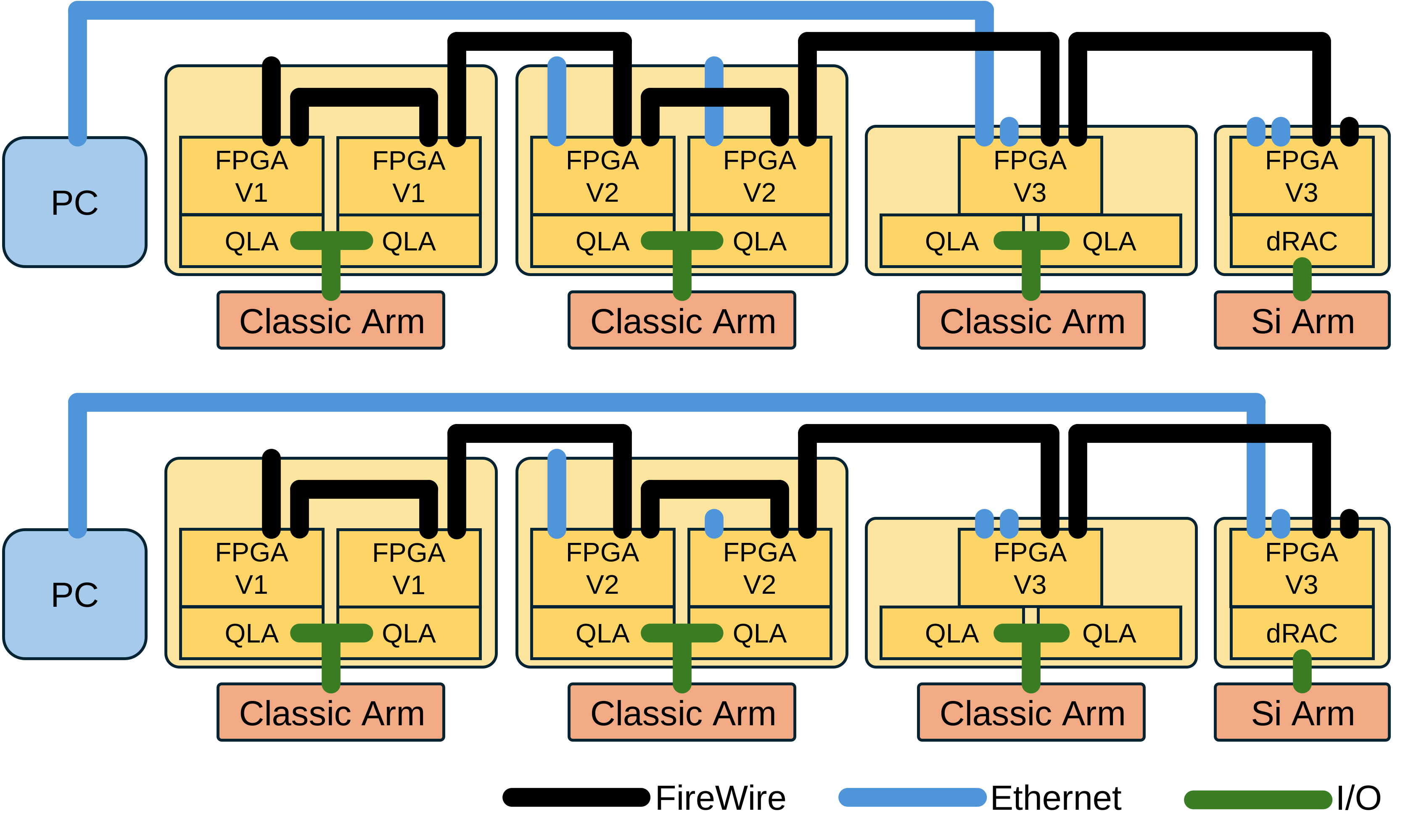
FireWire with Ethernet bridge
Hint
The port setting for this configuration is udpfw.
Note
The FPGA V2 has a 100Mb Ethernet adapter while the FPGA V3 has 2 1Gb adapters. Therefore, if you have both available, you should use the controller with an FPGA V3 as Ethernet bridge.
6.1.3. Ethernet only
When all the controllers are build around the logic board FPGA V3, it is possible to use Ethernet between the controllers. This solution doesn’t require any FireWire connection.
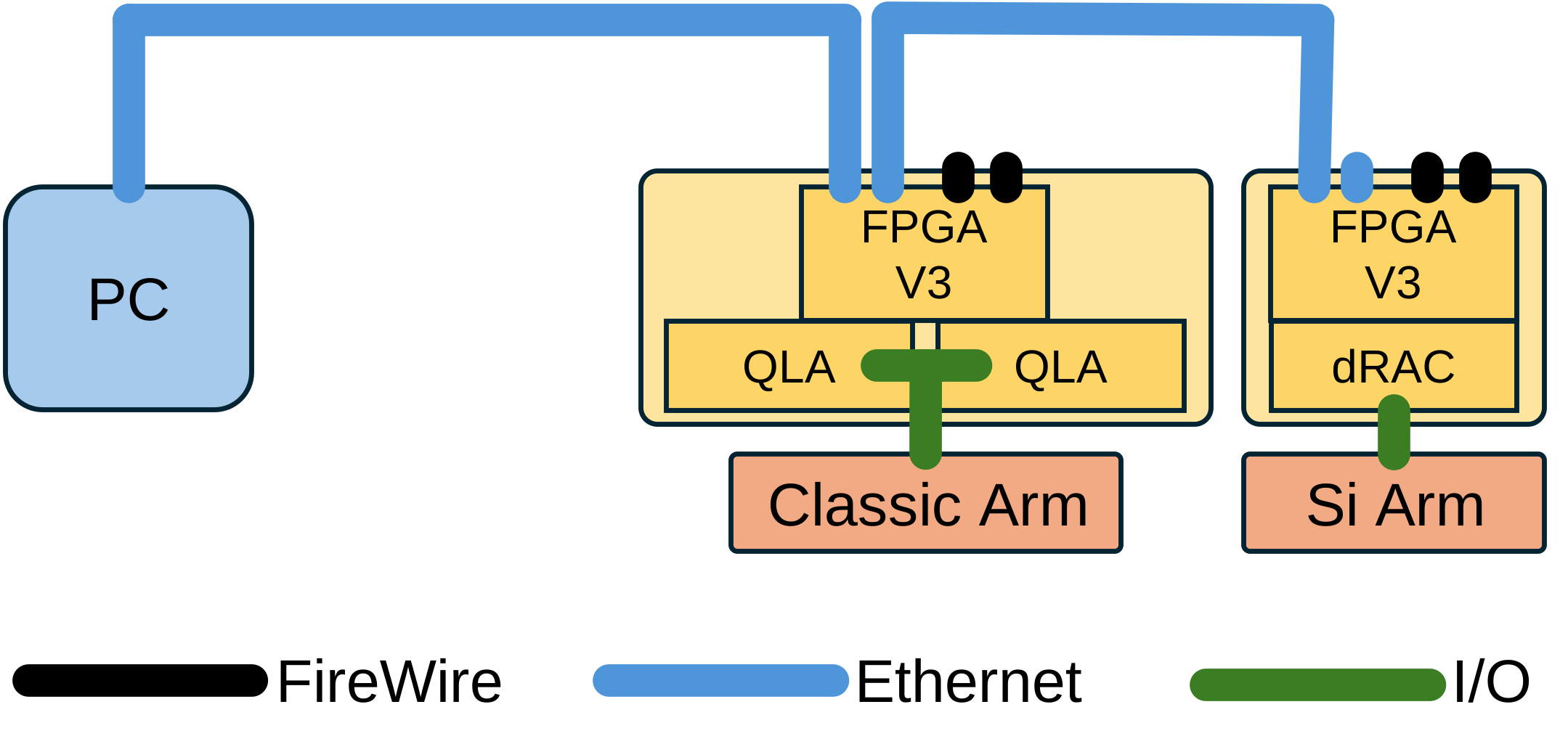
FireWire only
Hint
The port setting for this configuration is udp.