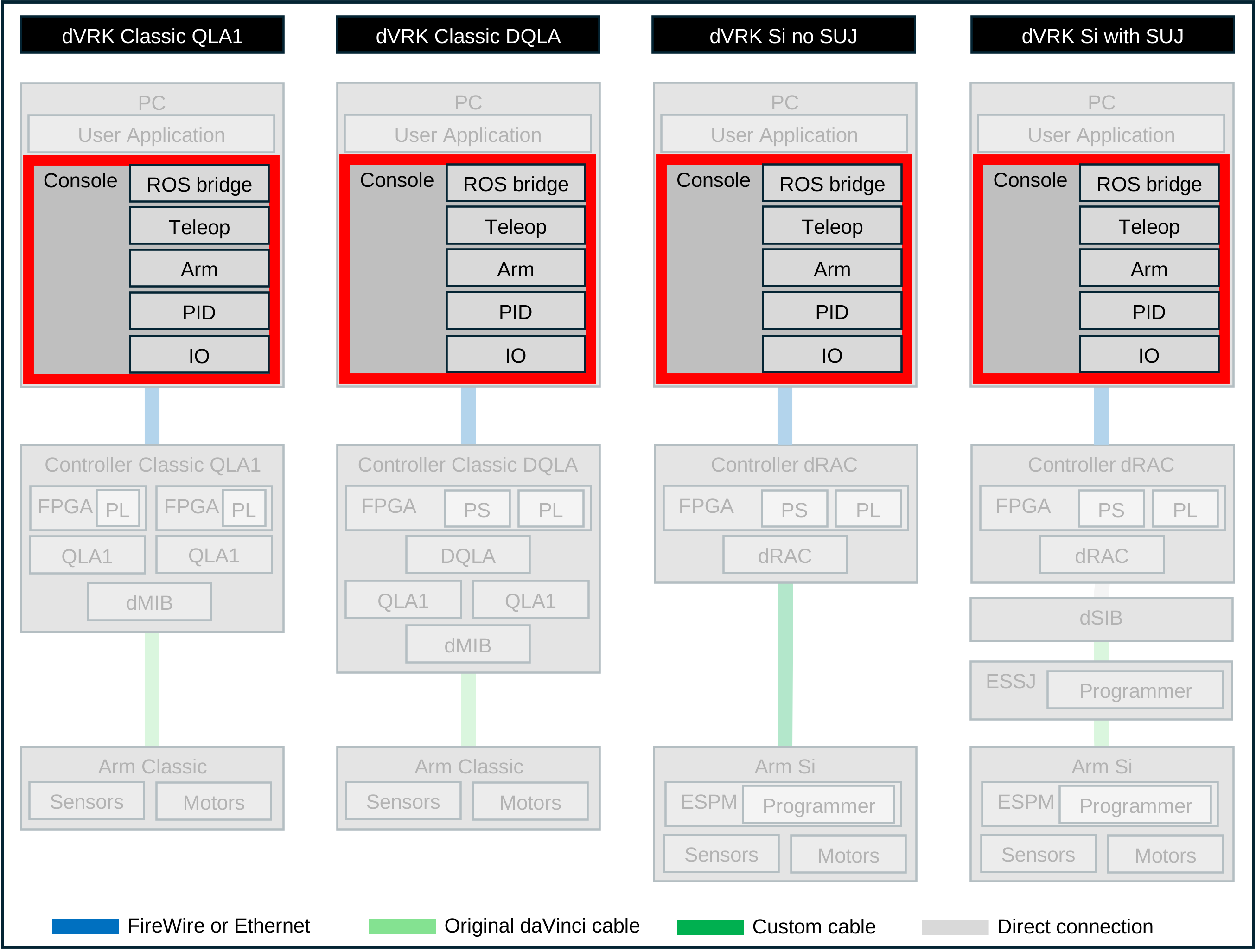
7.4.1. Overview
Example
The main configuration file for the dVRK is the system configuration
(system-abc-xyz.json). It is used to list all the elements of the
kit one wants to use for a given application. For example, one could
use a single arm (e.g. PSM1) and ignore all the other
components. Alternatively, it is possible to use all the arms,
teleoperation software components, ROS and OpenIGTL bridges and more
in a single application.
In the early days of the dVRK, users had to write and compile their own C++ main
to combine all the components based on their needs. This was rather
tedious so we introduced the system configuration file. When loaded by
the dVRK applications (either sawIntuititiveResearchKitSystem or
the ROS node dvrk_system), this file is used to:
set the communication port(s) and parameters
dynamically create and connect all the software components (IO, PID, arm, teleoperation)
identify the correct configuration files for each software component
create the widgets corresponding to the components used
add the ROS topics based on the configuration
For example, given the following configuration file:
{
  "IOs":
   [
     {
       "name": "IO1",
       "port": "fw",
       "protocol": "broadcast-query-read-write"
     }
   ]
   ,
   "arms":
   [
     {
       "name": "PSM1",
       "type": "PSM",
       "IO": "IO1",
       "serial": "28007"
     }
   ]
 }
The dVRK system application will:
create the IO component IO1 to communicate with dVRK controllers over FireWire (
fw) and configure it to use the fastest protocol available (broadcast-query-read-write)create all the components for a PSM arm (
type), including:configuring the IO IO1 with the arm’s IO configuration file
sawRobotIO1394-PSM1-28007based on the arm’s name and serial numbercreate and configure a PID component using the file
pid/-sawControllersPID-PSM.jsonbased on the arm’s type.create an arm components and configure it using the arm specific configuration file
PSM1-28007using the arm’s name and serial numberthe Qt widgets for the system, IO, PID and arm’s components
the ROS bridge (topics, tf2, services…) for the arm
For a full system with 2 MTMs, setup joints, 3 PSMs, an ECM, foot pedals, head sensor, focus controller, teleoperation… the dVRK application will create, configure and connect tens of components. The system configuration file, while a bit complex, greatly simplify the process.
The system configuration file main sections are:
IOsused to identify and configure one or more IO portsarmsused to declare and configure arms used in the system. Native arms will have to refer to IOs declared in the first sectionconsolesused to define one or more surgeon’s consoles, i.e. which signals to use for the clutch and camera pedals as well as the sensor to detect operator presence. Eachconsolealso includes two lists of teleoperation components to be created. Each teleoperation component will refer to arms created in thearmssection.
Schema based documentation